Self-hosted music discovery
Self-hosted music discovery that already knows your library. Now it can surprise you.
Aurral is a music discovery server you run yourself. It reads the music you already own, builds recommendations from your own listening history, turns them into scheduled playlist flows, and downloads the tracks to your music server. Works alongside Lidarr, or on its own without it.
Free and MIT licensed · one container, one port · no account needed
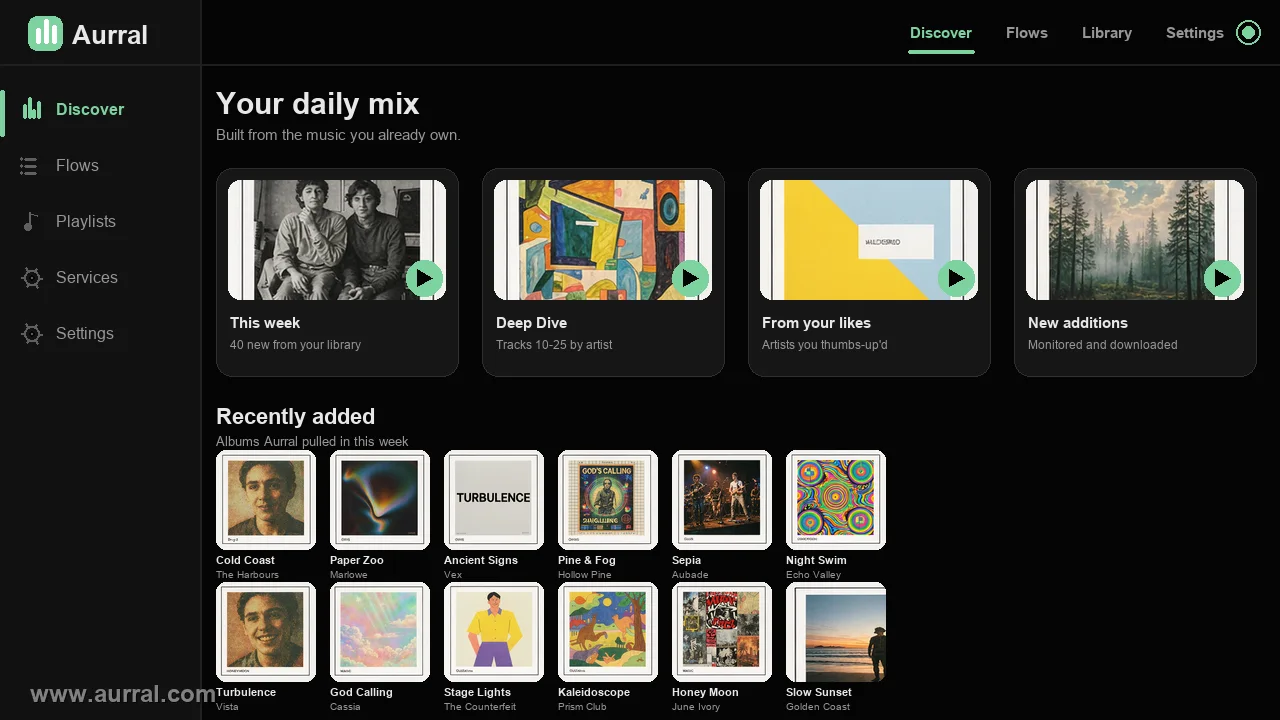
The Discover page — your daily mix, built entirely from the music you already own.
A self-hosted library has one specific problem, and every streaming service solves it for you.
Nobody builds a music server to play the forty albums they already know. They build one because they want their collection to keep growing without handing listening history to a corporation. Then they discover that Lidarr manages the library beautifully and does nothing whatsoever about what to listen to next.
So you end up doing this: opening a streaming app on your phone, finding something you like, searching for it on your server, adding it, waiting for the download, then repeating that manual loop until you get bored of it. Your library grows to tens of thousands of tracks and the share of it you actually hear stays exactly where it was.
Lidarr manages. It does not discover.
An artist arrives when you request it. Nothing suggests the artist you have never heard of.
Streaming apps discover. They own the catalogue.
You get a subscription, a licence, no files, and a listening history that belongs to someone else.
The gap is one layer thick.
Discovery logic that reads your library and your history, runs on your hardware, and fetches real files.
How it actually works
No black box. Six stages, all on your machine.
Most recommendation features give you a list and stop. The list is only half the job. Aurral closes the loop by handling the part where a suggestion turns into a file on disk.
Library
Reads tags and MusicBrainz IDs off your files, plus whatever Lidarr already tracks.
Seeds
Collects artists from your likes, your listening history, and a rotating sample of the library.
Candidates
Looks up similar and trending artists, then filters out anything already owned or blocked.
Flow
Ranks, applies a match percentage, and hands the list to a schedule you control.
Download
Searches your clients in priority order, then verifies the real file after it lands.
Playback
Publishes the playlist into Navidrome, Plex or Jellyfin. Files stay yours.
Stages one to four are the discovery layer. Stages five and six are what separate it from a playlist generator that hands you a dead list of names.
Discovery
Recommendations with a reason you can inspect
Every pick shows where it came from. Your library supplies seed artists, your listening history supplies more, and the ranking weighs artist similarity, genre overlap and how many of your seeds point at the same result. That last part is why the recommendations do not feel like a single genre filter.
Learns from what you actually play
Recommendations come from your library plus your Last.fm, ListenBrainz or Koito history. Nothing is shared with an ad platform because there isn't one.
A depth dial, not a fixed taste
Safer, Balanced or Deeper decides how far outside your library a pick may reach. Change it and every user gets rebuilt.
Knows what is moving right now
Global trends, genre tags and recent releases sit next to your recommendations instead of on another service.
Turns a pick into a downloaded file
A recommendation is only useful if the music arrives. Flows fetch the tracks through your own download clients.
Quality is verified, not assumed
Aurral reads the finished file and checks format, bitrate, sample rate and bit depth against your profile.
One account per listener
History, feedback, blocklist and Inbox belong to each user. The library stays shared, the taste does not.
Integrations
Lidarr optional. Everything else, too.
Connect the services you already run. One download client and one playback server is a working setup. Anything you leave out simply stays unused, and Discover still works with no API key at all.
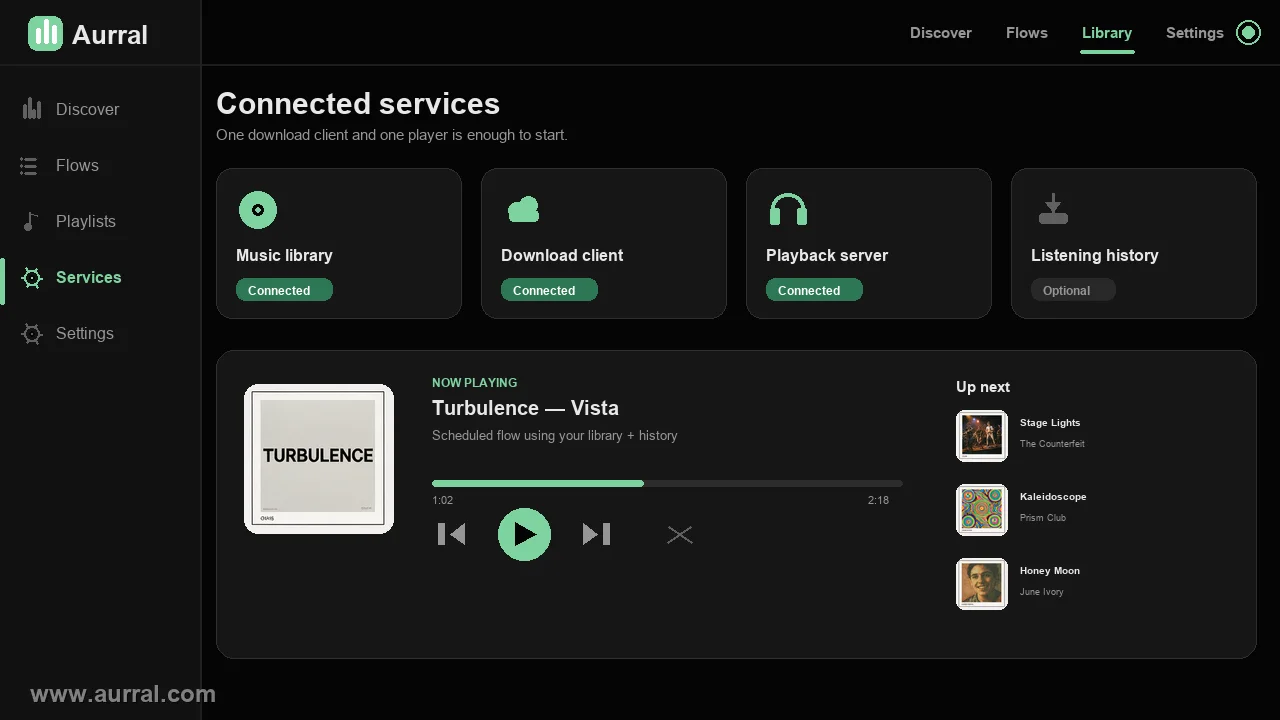
Connected services with a live now-playing flow — one download client and one player is a complete setup.
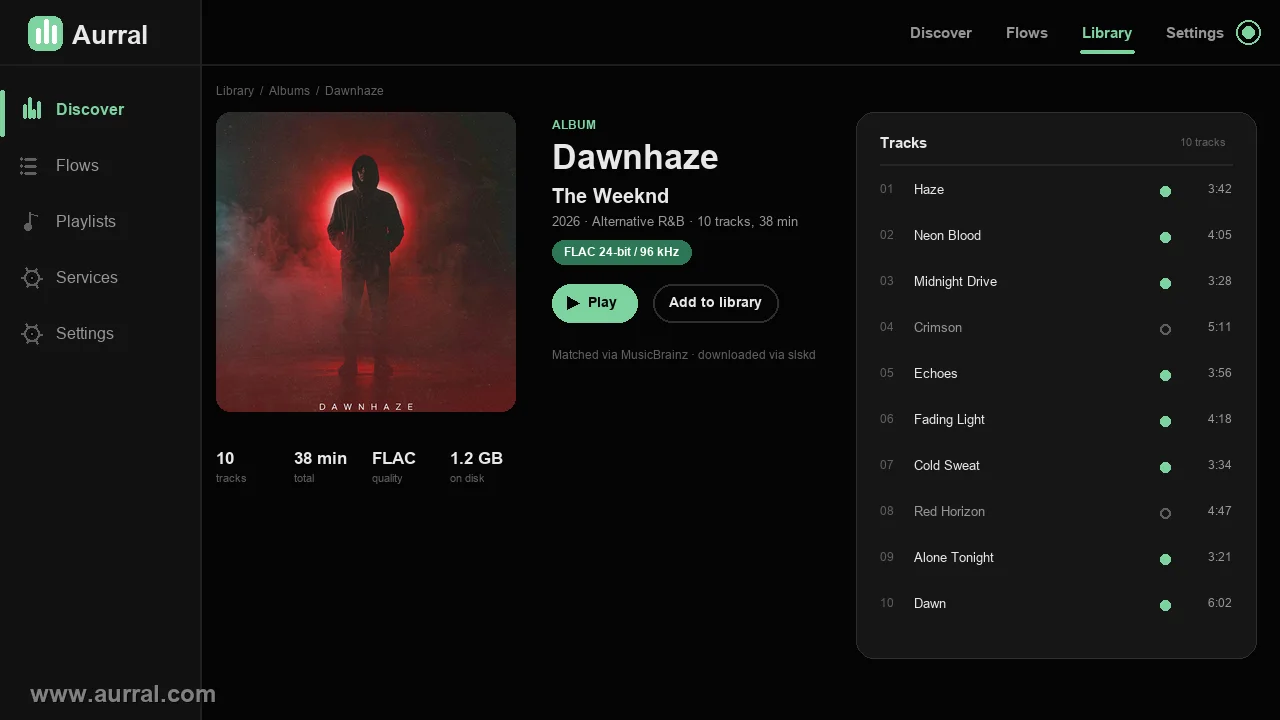
Every album page shows exactly what is on disk and what is still missing — down to the checksum.
Library
Downloads
Listening history
Alerts and shows
Running in a minute
Mount the same media path your music server uses, run one compose file, open port 3001. Lidarr can come later, or never. The one thing worth getting right on the first try is that both containers must see the media at the same path, which is the most common way a first install goes wrong.
services:
  aurral:
    image: ghcr.io/leonadavinci/aurral:latest
    restart: unless-stopped
    ports:
      - "3001:3001"
    environment:
      - PUID=1000
      - PGID=1000
    volumes:
      - ${MEDIA_ROOT:-/srv/media}:/data
      - ./config:/config
Free browser tools
No signup, no upload, no server round trip
Four utilities that run entirely in this tab. Your file is read by your browser and never sent anywhere, which is the only acceptable way to paste a playlist export into a stranger's website.
Spotify CSV to JSON converter
Turn an Exportify CSV into the JSON shape a self-hosted playlist importer expects. Runs in this tab.
Flow size calculator
Work out how many source slots a schedule actually needs, and what a good flow size is for your library.
Quality profile advisor
Pick a cutoff tier and see what it means for file size, bandwidth and whether an upgrade search is worth it.
Lidarr custom list builder
Compose the URL shape Lidarr reads as a custom list, so your flow shows up inside Lidarr too.
Use cases
Start from the situation you are actually in
How do I get from nothing to a working discovery server?
The whole path in order: container, media path, first scan, first flow, first playlist out to Navidrome.
Why does Aurral not see the music Lidarr sees?
Container paths have to match on both sides. This is the single most common broken setup.
How much disk do I need before turning on FLAC?
Work out what a quality profile actually costs you per year before the first download starts.
Why are downloads unreadable after the container writes them?
PUID and PGID exist so the files on disk belong to the user you already are on the host.
How do I serve Aurral over HTTPS with SSO?
Header forwarding, trusted proxy behaviour and why the browser needs to reach the right address.
How do I connect a phone app to my own server?
App passwords, the connect QR code, and which Subsonic clients work out of the box.
Comparisons
Where it sits against the tools you already run
Aurral vs Lidarr
They are not competitors. One manages the library, the other decides what goes into it.
Aurral vs Spotify
Discovery shaped by your own history, no subscription, no DRM, and files you keep forever.
Aurral vs Navidrome
Navidrome plays. Aurral decides what to play. They sit next to each other, not on top.
Aurral vs Jellyseerr for music
Request tools wait for you to know what you want. Discovery does not.
Questions people ask first
Do I need Lidarr to use Aurral?
No. Aurral manages artists and albums on its own inside its Downloads Folder. Connect Lidarr only if you want Lidarr to own that part.
What is the minimum setup?
One container, one port. Mount a media path, run docker compose up -d, open port 3001 and create an admin account.
Does my listening data leave my server?
It can stay local. Choose Local only in your profile and nothing is sent to Last.fm, ListenBrainz or Koito.
How many integrations do I actually need?
One is enough to start. Most people run a download client and one playback server, and skip the rest.
Will a flow re-download the same tracks every week?
No. Flow files are temporary and rotate out on schedule. Keeping a track in the library is an explicit action.
Can I use it without a subscription or an account?
Yes. Discover works without any API key, using ListenBrainz for similarity and MusicBrainz for genres. An admin can add a Last.fm key for closer matches.
Built in public. Better every week.
Open source, MIT licensed, and shaped by the people who run it. Read the code, open an issue, or sponsor the work.